


Windows Installer

Download YTube Playlist Downloader.

A local Windows app for authorized playlist archiving, metadata review, queue control, format presets, and local history.

Version 1.0.0 / x64 / 252.3 MB

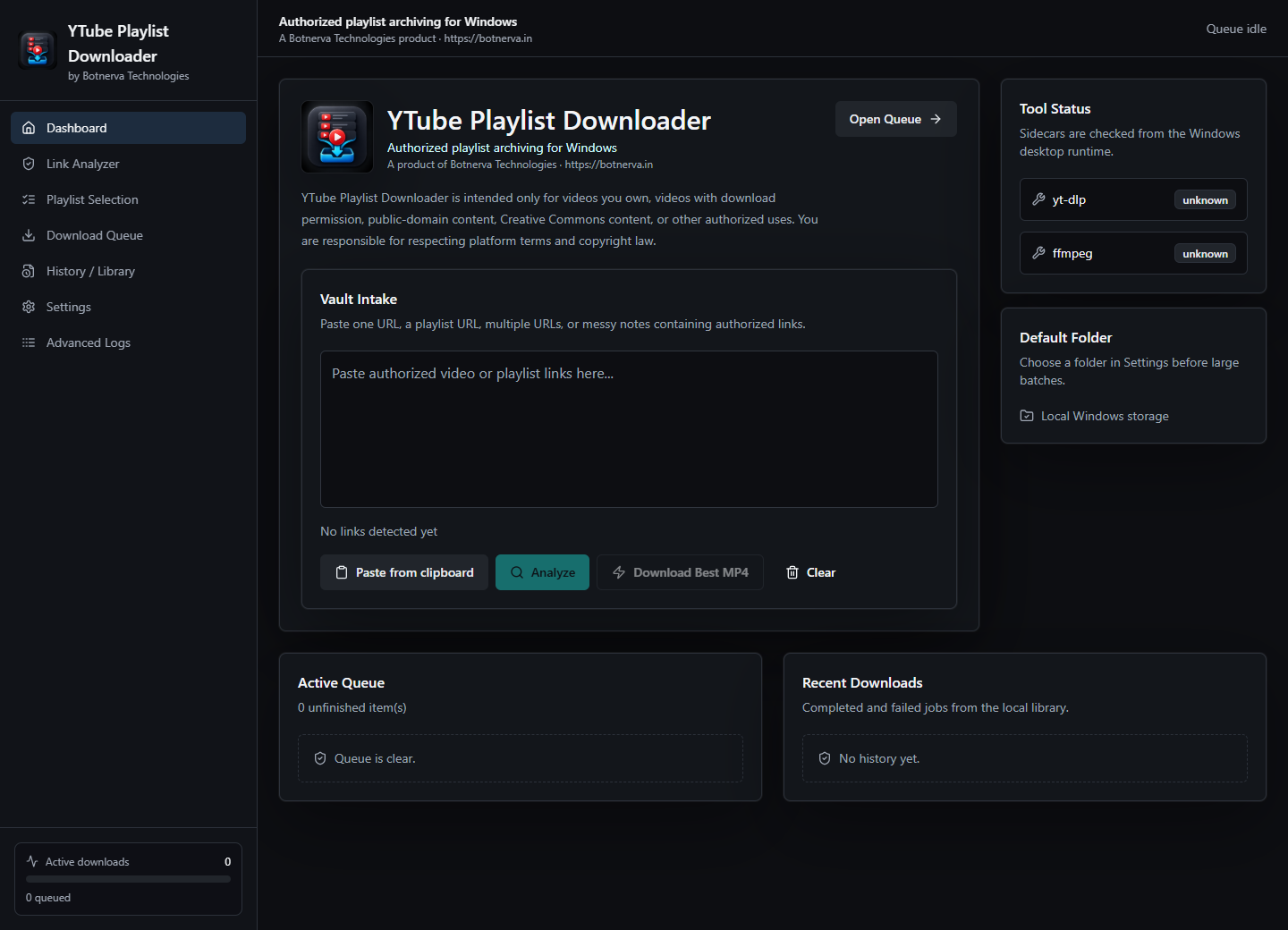
YTube Playlist Downloader dashboard preview.
Package URL

Microsoft Partner Center URL

Use this versioned secure URL for the standalone EXE package field.

https://botnerva.in/downloads/ytube-playlist-downloader/1.0.0/YTube-Playlist-Downloader-1.0.0-x64-setup.exe
Version 1.0.0
Architecture x64
Size 252.3 MB
Windows SmartScreen

If Windows shows a warning.

This installer is an unsigned early release, so Windows may show "Windows protected your PC". Continue only if you downloaded it from botnerva.in and the app details match this page.

  1. 1 Click More info on the SmartScreen warning.
  2. 2 Confirm the app is YTube Playlist Downloader. Publisher may show as unknown until a paid certificate is added.
  3. 3 Click Run anyway to start the installer.

Do not run copies shared through random links. Use the download button on this page so the file comes from the official BotNerva domain.

Windows protected your PC

Microsoft Defender SmartScreen prevented an unrecognized app from starting. Running this app might put your PC at risk.

Click More info

Run this app?

App
YTube Playlist Downloader
Publisher
Unknown publisher
Then Run anyway
App Preview

Review links, choose entries, and keep the queue visible.

  • Analyze single video links, playlist links, and pasted notes before downloading.
  • Choose entries, formats, folder defaults, and naming rules with local settings.
  • Track queue progress, completed items, retries, and local download history.
Analyze
Select
Queue
Microsoft Store

Search the Store by app name.

After the Microsoft Store listing is approved, open Store search and look for YTube Playlist Downloader. The listing should match the app name and icon shown here.

Video UtilityOther app
YTube Playlist DownloaderBotNerva Technologies
Playlist ToolOther app

Windows requirements

  • Windows 10 or later
  • 64-bit Windows device
  • Internet connection for supported source access
  • Local storage for downloaded files
  • Microsoft Edge WebView2 runtime, normally present on modern Windows installs

Store submission notes

  • Versioned HTTPS package URL
  • Direct link to an .exe installer
  • Standalone installer package
  • Stable file at the submitted version URL
  • Code signing required before Store certification

Installer return codes

0 Success / installation completed successfully / no error
1 Installation cancelled by user
2 Installation failed or aborted by installer script, including disk full, package rejection, network-related failure, installation already in progress, or other installer failure

The app does not normally require a reboot after installation.

Ready to install?

Download the Windows installer directly, or open the product overview to review the app before installing.